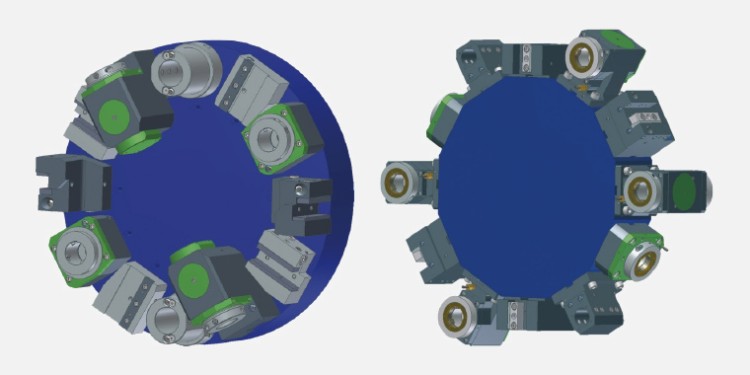
Right, left or overhead?

Avoid errors by selecting the right clamping and turning tools

This webinar will teach you how to look at your clamping and turning tools from the right angles to identify their orientation. We’ll demonstrate the faults that can occur if you choose the wrong clamping and turning tools and how to avoid them.

Once you have signed up, you can download the webinar free of charge directly on the landing page:

You’ll be learning about:

  • Spindle rotation direction and screw-on toolholder: right or left?
  • Different turret types, VDI longitudinal and transverse fixtures
  • Turning overhead
  • Possible errors if you choose the wrong clamping and turning tools
You're doubtless familiar with the everyday question when working at your lathe, whether CNC or conventional, and one you ask yourself several times a day: right or left? The wrong perspective on specific components or tools can make that decision more difficult. In this webinar, we’ll show you the best angle from which to view your clamping and turning tools in order to be able to clearly identify them. That will make your everyday choices and work procedures, as well as the ordering process, easier. You’ll be provided with a comprehensive overview and important information on different types of turrets, and longitudinal and transverse fixtures. We’ll also be looking at overhead turning in this webinar. Finally, we’ll show you possible errors that can occur if you choose the wrong clamping and turning tools.

Instructor: William Raab
The technical training instructor for machining at the Hoffmann Group, William Raab conducts the training courses for our technical sales staff. He brings practical experience thanks to his training as a metal-cutting mechanic and his further training as a mechanical engineer. His previous jobs include training apprentices and conducting professional retraining.

Select pick-up location

Sign in

Are you a new customer?

Login

Your contact person

Set commission

Your customer card

Please present the QR code at the checkout.
Retrieved on 
To shopping cart